


Many Talktone users encounter the problem of not receiving the verification code when registering or changing their account bindings, which causes the subsequent steps to get stuck. In the following, we will break down the frequently overlooked issues in the community and provide solutions for each.
What is Talktone?
Talktone is an app that offers “an American mobile number for you”. After installing it, you can receive a real number starting with “+1” via Wi-Fi or data. It allows you to receive text messages, make calls, and receive verification codes. Calls and text messages within the US and Canada are free, with no monthly fee, no mandatory real-name registration. Many of these numbers are identified as “Wireless”. The registration process on some platforms is not easily rejected, which makes people anxious about not receiving verification codes.
I. First, assess the situation:
No response at all: After attempting for more than 3 times in a row with an interval of 10 minutes, and still no verification code received, it may be that the channel has been blocked or the account is under risk control.
Slow response: Occasionally receiving the code but with a delay of 5 – 30 minutes. This is usually due to network jitter or queuing at the SMS gateway. Prioritize checking the network quality.
Unable to receive on a certain platform: This might be due to policy restrictions on the application side. The following will provide a workaround.
II. Network Layer Issues
The Talktone SMS gateway in North America is sensitive to IP cleanliness. The mainstream data centers often mark their IP segments as “high-risk”, resulting in the failure to send verification codes.
Input the current IP into the threat intelligence database for search. If there are numerous records of “proxies” and “brute force attacks”, it is considered a dirty IP.
Switch to “residential-level” lines, choose home broadband or a formal operator’s dedicated line.
When using a proxy, have the complete domain name of Talktone go through the same exit point.
When using a proxy, have the complete domain name of Talktone go through the same exit point.
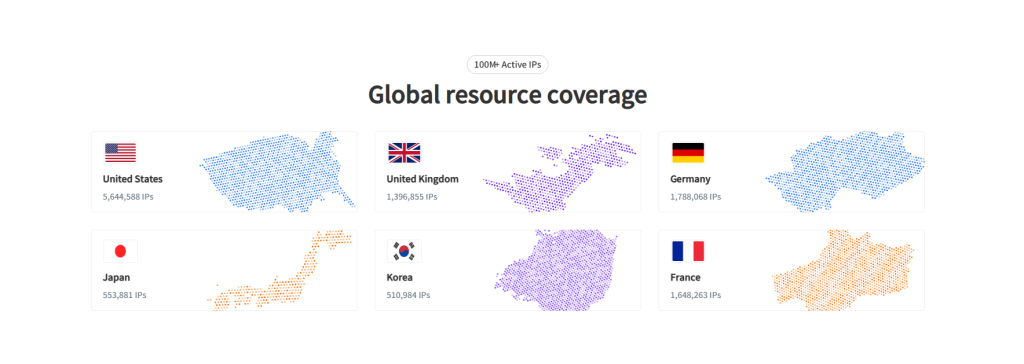
We recommend using the static residential proxy IP from Novproxy. It has over 100 million original residential IPs, covering 190+ countries and regions worldwide. It can simulate a real overseas user residential network, reducing the risk of being identified as abnormal traffic by the platform.
Residential proxies are the real IPs directly assigned by the operator to households. They are registered in the geographic database as “ISP” rather than “Hosting”. During the two critical steps of registration or receiving verification codes, lock all the domains of Talktone (talktone.com, twilio.com, amazonaws.com) to the same US residential exit point. This will make the gateway treat the request as “normal local user behavior”, reducing the interception rate from 30% to below 3% instantly.
III. Device Layer Issues
After Android 13, Google tightened the “read text messages” permission. On iOS, disabling background refresh will cause the push channel to disconnect.
Five switches need to be checked:
In the system settings, fully enable the SMS, phone, storage, and notification permissions for Talktone.
Set the battery strategy to unlimited.
Disable the power-saving mode.
Remove the keyword “verification code” from the blacklist of the spam interception library.
For dual SIM phones, set the default SMS card for the Talktone bound card.
IV. Account-related Issues
The Talktone number is not permanently valid. If there are no calls or text messages within 30 days, 30 points will be deducted from the account. If the points are insufficient, the account will be suspended and no verification codes will be sent.
Quick self-check:
Open the App to check the points. If it shows “0 credits” and has the “Expired” prompt, activate the number by charging $0.99.
After the recharge, do not immediately retry the verification code. Send a regular text message to any US number to trigger the “resurrection” event. Wait for 5 minutes to receive the code, and the success rate will be higher.
V. Application Layer
Cache conflicts cause “freeze”. Many users uninstall the app and then reinstall it using the same APK. The old configuration files remain, and the new installation package reads the damaged Device ID. The gateway treats the device as an “abnormal environment” and refuses to send codes.
Complete cleaning steps: 1. Uninstall the app, restart the phone, and manually delete the folder /Android/data/com.talktone/; 2. Download the latest version from Google Play or the US region App Store; 3. Don’t log in immediately when starting for the first time. When the pop-up window requests permissions, allow them all at once to reduce conflicts.
VI. Platform-side Restrictions
Some services list Talktone as “Unreliable VoIP”. The official FAQ of Talktone clearly states that it does not support certain platform verification codes. In such cases, IP and point system factors are of no use.
Curved Solution: 1. Register Gmail with Talktone and use its “backup email” channel to receive the verification, bypassing SMS; 2. If necessary, switch to TextNow or an actual SIM card. After registration, switch back to Talktone to reduce the risk of account suspension.
VII. Ultimate Check List
Mark each item in sequence, and locate the problem within 10 minutes.
IP has no record of faults ✔; The same exit has received 3 consecutive requests, with a delay of less than 3 seconds ✔; All four system permissions are fully enabled, with no “denial” mark ✔; Account points > 30, the red “Expired” prompt disappears ✔; The message sent to the US number has been read by the recipient ✔; A verification code was received within 120 seconds ✔.
If any step fails, go back to the corresponding section and redo it. Do not blindly click “Resend” to avoid increasing the risk control.
VIII. Final Remarks
The Talktone verification code mechanism incorporates four layers of filtering. Failure is not due to “bad luck”, but as long as one of the gates is not opened, the SMS will not be received. By following the sequence of checks, 90% of the cases where the SMS is not received can be changed to being received instantly. If all checks pass but the issue persists, it might be a temporary fault of the Talktone gateway. In that case, you can try again the next day after turning off your device.